Viewing, Renewing, and Modifying Items Out to a Patron
The patron’s items out list is displayed when you select the Out (#)/Overdue (#) tab on the Patron workform.
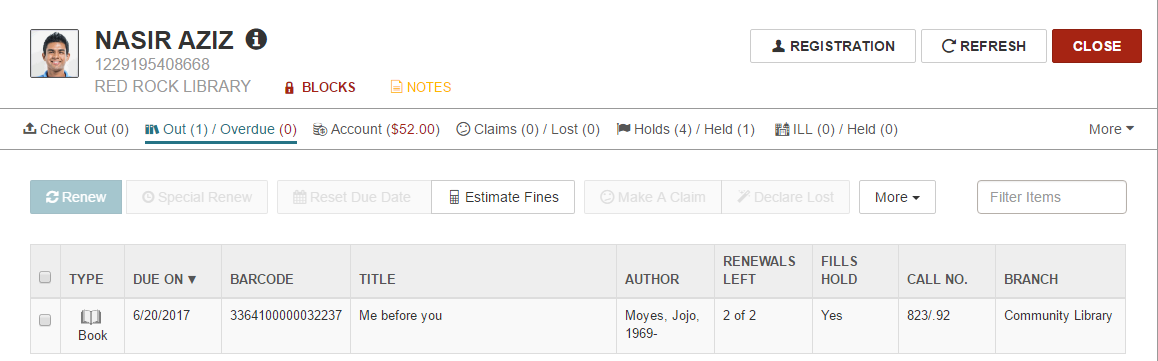
When you select an item in the list, you can perform the following actions if the button or option is available: renew an item; set a special renew period; reset the due date; estimate fines; make a claim; or declare the item lost.
See also:
- Renew Items from the Items Out List
- Reset the Due Date from the Items Out List
- Bulk Update Item Due Dates
- Set a Special Renew Date or Loan Period from the Items Out List
- Estimate Fines from the Items Out List
- Claim an Item from the Items Out List
- Declare an Item Lost from the Items Out List
- View the Item Record from the Items Out List