Declare an Item Lost from the Items Out List
To declare an item lost
- Open a patron record.
-
Select the Out/Overdue tab.
The patron's items out list appears.
-
Select the checkbox in the column to the left of the item that you want to declare lost, and select Declare Lost.
The Declare lost item dialog opens.
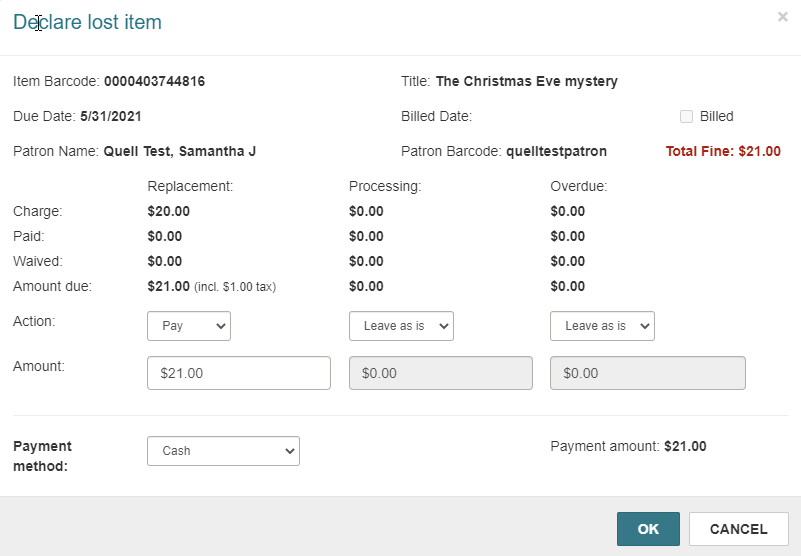
- For each charge type, select the appropriate action in the Actions box.
-
Select the method of payment in the Payment method box.
Note:
If your library has enabled EnvisionWare or Comprise as the eCommerce payment gateway, and a credit card reader is attached to the workstation, you can accept credit card payments in Leap. - Select OK.