Specify NCIP Password Requirement
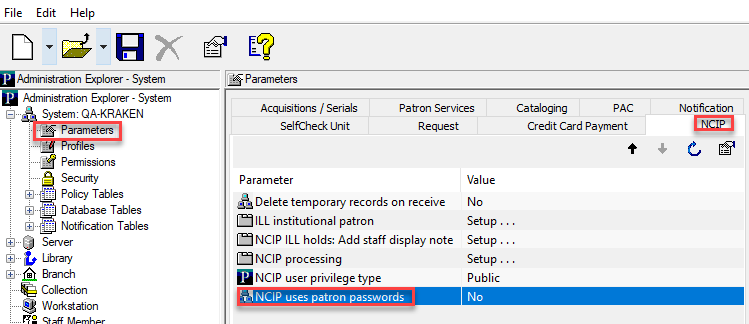
Libraries can use the NCIP uses patron passwords parameter to specify whether NCIP requires a patron's password. You can set this option to Yes if you want to require a patron's password. If your library doesn't require a patron's password for NCIP, or your NCIP vendor has an alternative authentication method, you can set this option to No. The default setting is Yes, require a password.
To set whether NCIP requires a patron's password
- Go to Administration > Explorer > System.
- Select Parameters > NCIP.
- Double-click NCIP uses patron passwords.
- Select one of the following:
- Yes — require an NCIP patron password
- No — don't require an NCIP patron password
- Select File > Save.