Change the Sort Order of MARC Tags
To change the MARC tag sort order:
Tip:
When new versions of Polaris contain updates to the validation editor, your changes are not overwritten.
- In the Administration Explorer tree view, expand the System folder.
- Select Profiles and select the Cataloging tab.
- Select MARC validation: Bibliographic or MARC Validation: Authority to display the MARC Validation Editor for the selected MARC format.
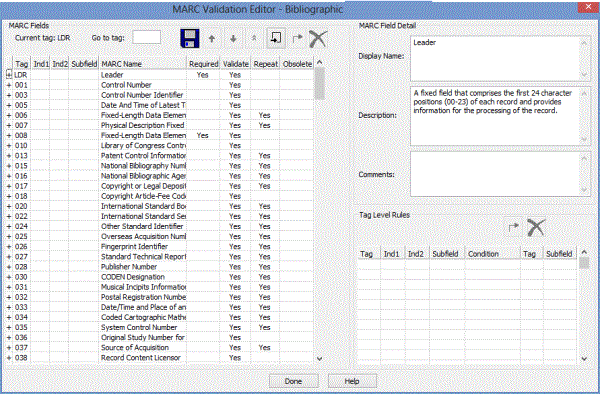
- Click
 to move a row up,
  to move a row down, or
  to move a row to the top.
 - Select File > Save, click the save button, or press Ctrl+S.